Like the example below, self-service knowledge base articles empower users to resolve common issues, lowering customer effort and labor costs through contact deflection.
Customizing Your Cycling Avatar
Within Zwift—you have the ability to customize your avatar. The Garage gives you access to the jerseys, bikes, wheels, and other gear you’ve unlocked. Options such as skin tone, and details like glasses and hair can be adjusted too. You’ll start with a few options and get more every time you level up. Use the arrow-keys to scroll or use your mouse/finger to swipe back and forth.
| Note: If you’ve entered any Promo Codes to unlock a new kit (such as the InGamba kit), they will appear in the Customization Menu. |
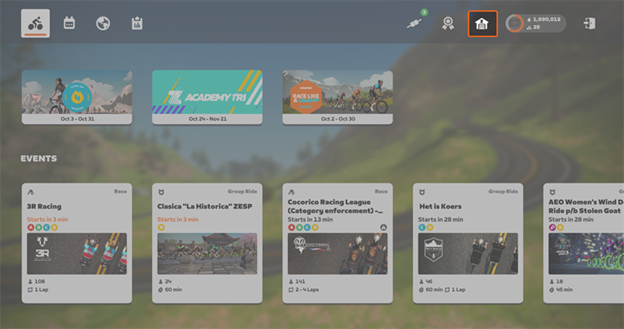
You have a couple options for getting to the Garage:
- Sign in to Zwift.
- From the Home Screen, select
 .
.
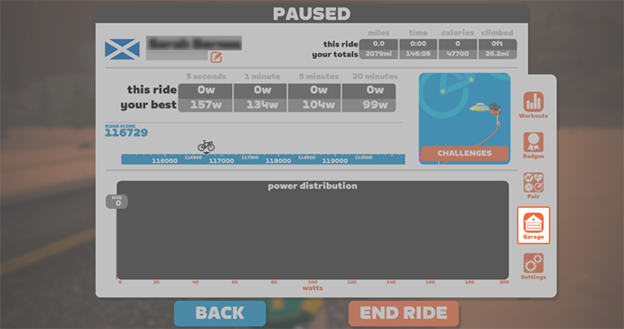
3. If you’ve already started an activity, select Menu.
4. When the Paused window loads, select Garage.
| Note: Your bike must be at a complete stop before you can select Garage. |
5. Once you’re done customizing your avatar, select Close.
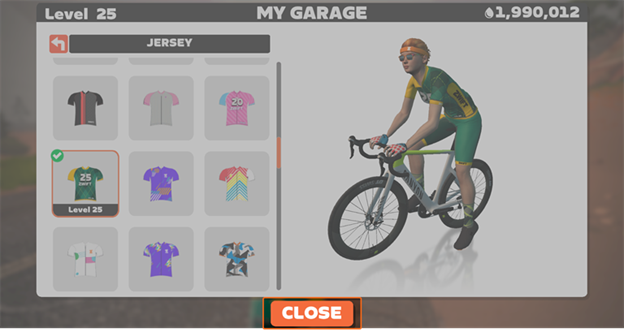
| Note: Your changes will show on your avatar once you leave the menu and start riding again. |
 Brent Malone